




Embark on the wild, often humorous journey of DIY computer upgrades, where simple tasks quickly spiral into tangled chaos and unexpected surprises. From incompatible parts and spaghetti-like cables to classic slip-ups, the process tests patience and problem-solving skills but also offers moments of triumph and humor. This guide reveals how meticulous research, organization, and a calm mindset turn chaos into confidence—showing that setbacks are simply learning opportunities. With practical tips on planning, organizing, and troubleshooting, readers are invited to embrace the mess, laugh at mishaps, and grow as DIY tech enthusiasts. Why do some upgrades feel more like a comedy of errors than a straightforward task? Because behind the tangled wires and stubborn hardware lies a rewarding adventure that transforms frustration into mastery, making each problem a badge of honor on the path to a faster, better system.

The Hilarious Challenges of DIY Computer Upgrades
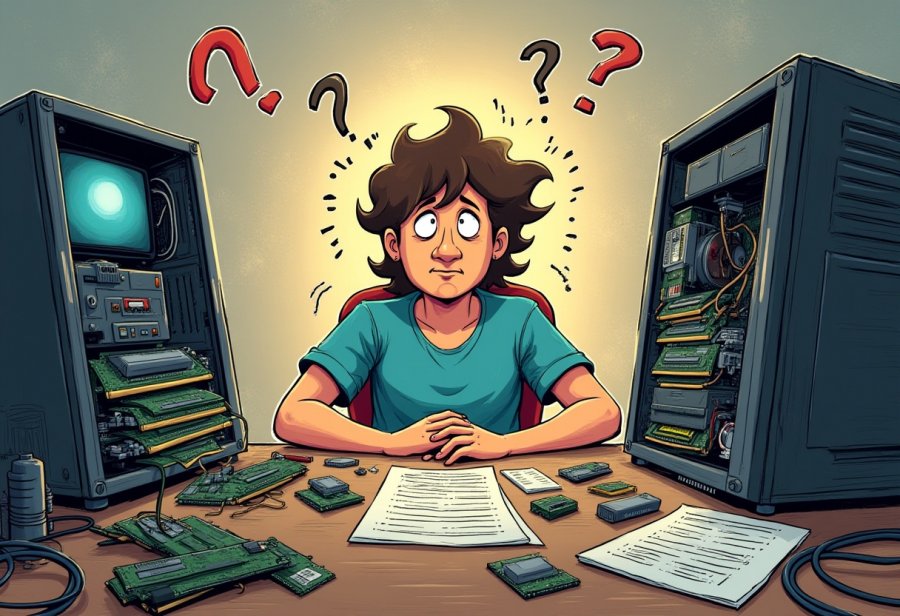
Upgrading your computer might seem like a simple task—just swap out a component, and you’re good to go. But anyone who’s tried knows it often turns into a comedy of errors. One minute, you’re confidently removing a side panel, and the next, you’re tangled in a mess of cables that resemble a plate of spaghetti. Components often refuse to fit where they’re supposed to, or worse, don’t fit at all, no matter how much force you apply. It’s like trying to squeeze a square peg into a round hole, with no clear manual in sight. The frustration quickly builds as you realize that what seemed straightforward is actually a puzzle that tests your patience and problem-solving skills.
Cable management is another source of chaos. Once you start unplugging and reconnecting, wires twist and knot into a tangled mess. Short cables, awkward angles, and tricky connectors make it easy to lose track of where each belongs. And if the manual isn’t helpful—or if it’s in some unintelligible language—you’re left guessing. Before long, you’re fumbling to reattach cables you just disconnected, often pulling out something you didn’t mean to, which adds to the chaos. Troubleshooting these tangled knots can take longer than the actual hardware swap itself, transforming what should be a quick upgrade into an hours-long puzzle.
Incompatibility surprises also crop up unexpectedly. You buy what looks like the perfect upgrade—say, a shiny new GPU or a faster RAM stick—and then hit a wall. Maybe your motherboard doesn’t support the new hardware, or your power supply isn’t quite strong enough. Sometimes, after hours of research, you realize your components just won’t play nice together. That leads to frantic online searches or trips back to the store for replacements or adapters. The unpredictability of hardware compatibility is a constant source of surprises, often turning a simple upgrade into a troubleshooting marathon.
And then there are classic “oops” moments—forgetting to unplug the power supply before installing a new graphics card, or installing RAM sticks that aren’t fully seated. The beeping sounds, the blank screen, or the system refusing to turn on are all signs you missed a step. Sometimes, you discover your shiny new part is too big for your case, forcing a re-measure and another trip to the hardware store. These slip-ups happen to everyone and might seem like setbacks, but they’re also part of the process that teaches you to pay attention and double-check your work.
Despite all the chaos, these mishaps are what make the upgrade journey memorable. They test your patience and troubleshooting skills but also add humor to the process. Each tangled cable, incompatible part, or forgotten step becomes a badge of honor—proof that you’re learning and growing as a DIYer. When everything finally clicks into place, the sense of victory is all the sweeter after navigating through the chaos. These unpredictable moments turn what could be a frustrating task into a story worth sharing and a skill worth honing.
When Hardware Fights Back: The Comedy of Fitting and Compatibility
When you start upgrading your computer, chaos seems to be the default setting. Components often refuse to fit where they’re supposed to, or worse, don’t fit at all. It’s like trying to force a puzzle piece into the wrong spot—no matter how much you push, it just won’t go. You might squeeze that shiny new graphics card into a case that clearly wasn’t designed for it, only to realize you need a different bracket or a longer power cable. These fitting issues quickly turn a simple swap into a frustrating guessing game, making you question if you measured correctly or if you just bought the wrong part altogether.
Cable management is another source of chaos. Once you start unplugging and reconnecting, wires twist and tangle into a spaghetti mess that looks more like a plate of noodles than a neat setup. It’s easy to forget which cable goes where, especially when the manual seems written in a foreign language or just vague diagrams. Before long, you’re fumbling to reattach cables you just disconnected or accidentally pulling out something crucial. Troubleshooting these tangled knots can take longer than the actual hardware swap, transforming what should be a quick job into an hours-long puzzle.
Incompatibility surprises are also common. You buy what looks like the perfect upgrade—say, a new RAM stick or a high-end GPU—and then hit a wall. Maybe your motherboard doesn’t support the new hardware, or your power supply isn’t quite strong enough. Sometimes, even after hours of research, you realize that your components just won’t play nicely together. That leads to frantic online searches or trips back to the store for replacements or adapters. The unpredictability of hardware compatibility keeps you on your toes, often turning a straightforward upgrade into a troubleshooting marathon.
And then there are the classic “oops” moments—forgetting to unplug the power supply before installing a new graphics card or installing RAM sticks that aren’t fully seated. The beeping sounds, the blank screen, or the system refusing to turn on are all signs you missed a step. Sometimes, you discover your shiny new part is too big for your case, forcing a re-measure and another trip to the hardware store. These slip-ups happen to everyone and might seem like setbacks, but they’re also part of the process that teaches you to pay attention and double-check your work.
Despite all the chaos, these mishaps are what make the upgrade journey memorable. They test your patience and troubleshooting skills but also add humor to the process. Each tangled cable, incompatible part, or forgotten step becomes a badge of honor—proof that you’re learning and growing as a DIYer. When everything finally clicks into place, the sense of victory is all the sweeter after navigating through the chaos. These unpredictable moments turn what could be a frustrating task into a story worth sharing and a skill worth honing.
Steering Through the Chaos: Strategies for a Smoother Upgrade Journey
Navigating the chaos of a DIY PC upgrade can seem daunting at first, but a few practical strategies can make all the difference. Starting with thorough research sets a solid foundation—double-check compatibility for your motherboard, power supply, and case. Watching detailed tutorials or reading specific guides for your hardware helps you spot potential pitfalls early, saving time and avoiding costly mistakes.
Organization is your best friend once you’re ready to get hands-on. Keep screws, brackets, and small parts in labeled containers or small trays to prevent losing components. Using cable ties or sleeves to bundle wires not only keeps things tidy but also simplifies troubleshooting down the line. A neat workspace reduces the risk of accidentally disconnecting or damaging something, making the process more manageable.
Rushing through an upgrade often leads to mistakes. Break the task into steps: install one component, then power up to test before moving on. For instance, connect the power supply first and verify the system boots before adding RAM or the GPU. This methodical approach catches errors early, preventing minor issues from escalating into major headaches.
Leverage online communities for support. Forums like Reddit’s r/buildapc or dedicated tech Discord servers are filled with experienced builders eager to help troubleshoot. Sharing photos or describing your setup can lead to quick advice or fresh ideas you might not have considered. Sometimes, a second opinion makes all the difference when untangling hardware issues.
Before powering everything up, double-check all connections and measurements. Ensure components fit inside your case comfortably, and cables are securely plugged in. An anti-static wrist strap is a small but vital tool—static shocks can damage sensitive parts. Taking these precautions can prevent hours of troubleshooting or even hardware damage, turning chaos into confidence.
Expect setbacks—they’re part of the process. Components may be incompatible, or you might forget a step during installation. When things don’t go as planned, stay calm and troubleshoot systematically. Online guides and community advice often point to quick fixes, so patience and persistence turn obstacles into learning opportunities.
Celebrating small wins keeps morale high. Successfully installing a component, organizing your cables, or getting your system to boot are victories worth acknowledging. These moments build confidence and transform a chaotic project into a satisfying achievement, encouraging you to tackle future upgrades with more ease.
By staying organized, patient, and prepared, you turn potential chaos into an enjoyable challenge. Each hurdle overcome adds to your skills and resilience, making the upgrade not just a technical task but a rewarding experience. Embracing the mess as part of the journey helps you grow as a DIYer and makes the eventual success all the more fulfilling.
Brave Tips to Conquer the Clutter and Confusion of Upgrading
Starting your DIY computer upgrade with a clear plan can make all the difference when facing inevitable chaos. Spend time researching compatible parts—double-check your motherboard’s socket type, power supply wattage, and case dimensions. Watching detailed tutorials or reading guides tailored to your specific hardware helps you spot potential issues early, saving time and frustration down the line. This preparation lays a solid foundation, making the actual upgrade smoother and less stressful.
Once you’re ready to dive in, organization becomes your best ally. Keep screws, brackets, and tiny components in labeled containers or small trays so nothing gets lost. Using cable ties or sleeves to bundle wires not only keeps things tidy but also simplifies troubleshooting later. When cables are managed properly, you avoid accidental disconnections and can easily identify connections if something isn’t working right. A clutter-free workspace boosts confidence and keeps you focused on the task.
Taking your time is crucial. Rushing is a common mistake that leads to overlooked steps or damaged parts. Break the process into manageable steps—install one component, then power up to test before moving on. For example, connect the power supply first and verify the system boots before installing RAM or the GPU. This methodical approach helps catch errors early before they cascade into bigger problems, making troubleshooting less overwhelming.
Don’t hesitate to tap into online communities. Forums like Reddit’s r/buildapc or dedicated tech Discord servers are filled with experienced DIYers ready to help. Sharing photos or describing your setup can lead to quick advice or new ideas you might not have considered. Sometimes, a fresh perspective is all it takes to solve a tricky problem or spot a mistake you overlooked.
Before powering everything up, double-check all connections and measurements. Ensure your components fit comfortably inside the case and that all cables are plugged in securely. An anti-static wrist strap is a small but vital tool—static shocks can damage sensitive parts. These simple precautions prevent hours of troubleshooting or hardware damage, turning chaos into confidence and ensuring your upgrade is a success.
Expect setbacks—they’re part of the process. Components might be incompatible, or you might forget a step during installation. When things go sideways, stay calm and troubleshoot systematically. Search online for common issues or ask experienced builders for help. Patience and persistence turn these obstacles into valuable learning experiences, making your future upgrades easier.
Celebrating small victories along the way keeps morale high. Successfully installing a component, organizing your cables, or getting your system to boot are wins worth acknowledging. These moments build confidence and transform a chaotic project into a rewarding achievement. Each challenge you overcome adds to your skills and makes the next upgrade even smoother.
By staying organized, patient, and prepared, you turn potential chaos into an enjoyable challenge. Every hurdle becomes an opportunity to learn and improve, gradually building your confidence as a DIY builder. Embracing the mess as part of the journey helps you grow, making the satisfaction of finally finishing your upgrade all the more rewarding.

Laughing Through the Mess: Embracing the Humorous Side of DIY Upgrades
DIY computer upgrades often turn into a comedy of errors, but it’s those very moments that make the whole journey memorable. The tangled cables, incompatible parts, and forgotten steps might be frustrating in the moment, yet they tend to become funny stories later on. Everyone has that scene where hours of troubleshooting reveal you forgot to plug in a cable or that your shiny new RAM isn’t seated properly. Sharing these mishaps with friends or online communities transforms frustration into laughter, making the chaos feel less like a disaster and more like part of the adventure.
What makes these stories relatable is that no matter how experienced you are, you’re bound to stumble into some kind of tech mess. Maybe your sleek new graphics card turned out to be too big for your case, or you spent ages trying to figure out why your system wouldn’t boot after swapping hardware. These moments remind us that even simple upgrades can spiral into unpredictable chaos. But instead of feeling defeated, a good sense of humor helps keep things in perspective. Laughing at your own mistakes lightens the mood and keeps you motivated to try again.
Resilience plays a crucial role here. When things go wrong, it’s tempting to get frustrated or give up, but that’s when the real learning happens. Every slip-up or misstep becomes a chance to troubleshoot, research, and grow more confident. Over time, you start to see setbacks as part of the process—necessary steps on the way to a better, faster machine. Each challenge you face and fix makes the next upgrade a little easier, building your skills and patience.
Humor isn’t just about keeping things light; it’s a tool that helps you stay patient and persistent. Sharing your stories of tangled cables or hardware mishaps creates a sense of camaraderie. It’s comforting to know you’re not the only one who’s wrestled with a stubborn component or cursed at a tangled wire. These shared experiences become badges of honor, proof that you’re learning and improving with each attempt. They remind us that in the end, technology is something that challenges and entertains us in equal measure.
Looking back, it’s clear that the chaos of DIY upgrades is what makes the process rewarding. Every stumble, every mistake is a step toward mastering the craft. Embracing the mess with a sense of humor transforms setbacks into stories and frustrations into lessons. The truth is, no upgrade is perfect on the first try—and that’s okay. It’s all part of the learning curve that makes finishing a build or upgrade so satisfying.
So next time your cables look like a spaghetti monster or your hardware refuses to cooperate, take a breath and smile. These moments are what make the journey memorable and remind us that progress often comes wrapped in chaos. With patience, humor, and resilience, even the most tangled, chaotic upgrades turn into stories worth telling—and learning from. After all, the best tech adventures aren’t just about the end result, but about the laughs and lessons along the way.

